
Hytale Update 4 (Part 1) Patch Notes: Multi-Instance, Mod Management, Backup Recovery, and More
Full breakdown of Hytale Update 4 Part 1 featuring multi-instance support, revamped Mod Management UI, backup recovery, fishing trap improvements, and dozens of quality-of-life fixes.
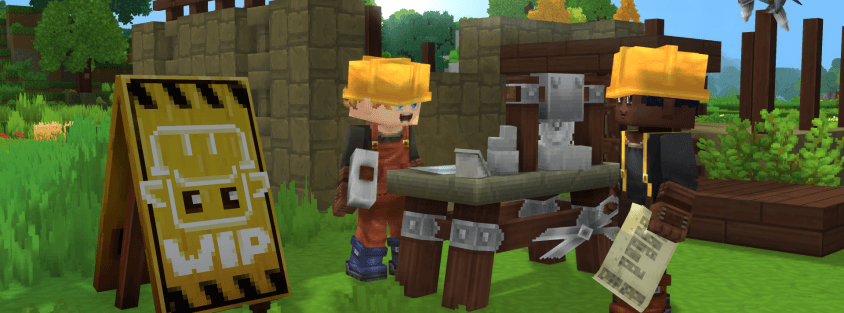
Hytale's Update 4 (Part 1) pre-release is now available, just days after Update 3 went stable. Hypixel Studios noted that with Update 3 rolling out earlier this week alongside a few hotfixes, they kept this first part of Update 4 intentionally lighter—but don't let that fool you. There's still plenty here that matters.
To try it out, head to Launcher → Settings → Pre-Release and enable the pre-release channel.
Let's break down everything in Update 4 Part 1.
Multi-Instance Support
The headline feature: players can now run multiple instances of Hytale simultaneously. Whether you're testing mods on one instance while playing on another, or running a local server alongside your client, this opens up workflows that simply weren't possible before.
One important caveat—Hypixel Studios advises against opening the same world in multiple instances simultaneously to reduce the risk of save corruption. Different worlds across different instances? Go for it.
Revamped Mod Management UI
The Mod Management interface has been completely overhauled and relocated to its own dedicated section within the World Settings Screen. The new UI lets you:
- View mod versions and icons at a glance
- See additional mod details without digging through files
- Spot a warning icon when a mod targets a different game version than you're running
For server operators maintaining mod packs and players juggling multiple mods, this is a significant usability improvement over the previous system.
Fallback Server for Disconnections
Hosts can now specify a fallback server for when players disconnect unexpectedly. Instead of players being dumped back to the main menu after a crash or network hiccup, they can be automatically routed to a designated fallback server. This is a big deal for network server setups and hub-based communities.
Backup Recovery Interface
A new Backup management interface has been added that will attempt to recover broken worlds. If your world data gets corrupted—whether from a crash, mod conflict, or the new multi-instance feature—this tool gives you a fighting chance at recovery instead of starting over.
Avatar & Cosmetics
A handful of cosmetic renames to clean up naming consistency:
- One of the Basic Sandals cosmetics is now called Leather Sandals
- Long Sleeved Tunic is now Cotton Tunic
- Puffy Ponytail is now Puffy Bun
Items & Equipment
Fishing Traps
Fishing traps have received notable placement improvements:
- Can now be placed closer to other blocks
- Work in shallow water
- Always display their placement preview, removing the guesswork
Weapon & Tool Changes
- The bow can no longer be drawn if you have no ammunition—no more phantom shots
- Hatchets, pickaxes, and shovels now lose durability when used on wood, adding more weight to tool management decisions
World & Blocks
- The Lumberjack Lamp can now be placed facing different directions
- Blue Winter Seaweed now produces bubbles, and its oxygen output has been modified
- Decorative chains and brick beams support more decorative blocks hanging from them
- Windows and Cloth Roof blocks no longer require supporting blocks beneath them—a welcome change for builders
- Chandeliers can hang from more block types
- Dirt and Grass block variations now have a family assigned
- A new template for Soils has been created
NPCs & Encounters
- Elemental Golems have had their animations and interactions updated with more polished behavior
- Moose have been slowed down by 20%—a much-appreciated change for anyone who's been outrun by a moose in Zone 1
Audio
- Audio emitters have been updated for better spatial control over where sounds originate
- Genesis has returned to the game in Zone 4
- Traveling Band has been added to Zone 1 during the night—expect ambient musical encounters during your nighttime adventures
UI & Quality of Life
This section is packed with improvements:
- Hold the Drop Item button and mouseover items in your inventory to quickly drop stacks in Adventure Mode or destroy them in Creative Mode
- Crafting Benches now display the rarity of craftable items
- Crafting Benches now show how many items are currently queued for crafting
- Updated the charset to include the Latin Extended-A range
- Introduced a font fallback support cache for better text rendering performance
- Additional translation support for map marker keys, the ui-gallery command window, and backup frequency world settings
- Updated the drag grip icon in Creative Mode quick settings
- Added an option to the in-game reporting tool granting permission to contact the user for more information
- Halved the bandwidth usage of the worldmap—a meaningful optimization for multiplayer
- General input system cleanup
Modding & Tools
A strong showing for modders and creators:
- New debug flag: VisPath, enabling visualization of NPC pathing
- Updated protocol supports formatted and translated disconnect messages
- Added support for config schema generation
- High DPI support for the asset editor
- Undo group size quick settings for Builder Tools—easier undoing of larger edits
- Prefab undo support in scripted brushes
- Enhanced material support for Builder Tools now including holders, fillers, fluids, and other storable types
- Players can specify a default rotation angle and axis for Creative Brushes
- Scripted brushes can now rotate shapes using rotation angle, axis, and origin of rotation
- Server exits from MOD_ERROR (code 9) now offer an option to navigate directly to the new Mod Management UI
- Added an icon to identify modded worlds at a glance
World Generation
- Reconfigured Oasis Portal Spawns to ensure players spawn within the oasis basin instead of outside it
- Updated the Oasis Biome for improved performance
Bug Fixes
Combat & Item Fixes
- Fixed an edge case with NPCs getting stuck if they lost a jumping target under certain conditions
- Fixed some items like salt and tropical fences dropping as entirely different items
- Tavern Planters now take multiple hits to break and break faster with a hatchet
- Kebabs and Skewers are now held properly in the hand
- Fixed a NullPointerException with incorrectly configured gathering fields
World & Block Fixes
- Stacked slabs now consume and drop the correct number of items
- Fixed stalactites and rubble not belonging to correct block sets
- Added missing block set references to blocks that were missing them
- The T1 Furnace is now less transparent at certain angles
- Fixed portals being invalidated by interacting with the device too quickly
- Fixed incorrect references with the Rock_Shale_Cobble_Corner item
Creative Tool, Modding & Plugin Fixes
- Fixed large previews rendering incorrectly with the Paste Tool
- Fixed the Machinima Tool's ActiveKeyFrame being displayed when there was no active one
- Fixed entities not remaining frozen from the Entity Tool if the player leaves and rejoins
- The /importobj command once again allows singleplayer world owners to import any object from any path
- Fixed the /plugin reload command when a plugin has dependencies
UI & Display Fixes
- Fixed various crashes from missing UI elements
- Holding ENTER when opening Chat no longer discards the next key pressed
- Fixed shutdown messages not being localized
- Magical Pigtails are no longer incorrectly referred to as Magical Ponytail
- Various typos removed
- Various incorrect translations rectified
Other Fixes
- Fixed a crash from servers sending null interface commands
- Humanoid Detail Boxes updated to resolve a HitBox issue
- Added clamping to prevent fog from rendering inverted
What This Means for Server Operators
Fallback Server Support: The new fallback server option is a game-changer for network setups. Configure a lobby or hub server as the fallback so disconnected players land somewhere useful instead of the main menu.
Mod Management UI: The revamped mod UI with version warnings means fewer support tickets from players running incompatible mods. The version mismatch warning icon alone will save you headaches.
MOD_ERROR Navigation: When a server exits due to a mod error, players now get a direct link to the Mod Management UI. This helps players self-diagnose mod issues instead of flooding your Discord with "why can't I connect" messages.
Worldmap Bandwidth: The 50% reduction in worldmap bandwidth usage directly benefits servers with many concurrent players, especially those with larger explored areas.
What This Means for Players
Multi-instance is here: Run a test world alongside your main game, or keep two servers open at once. Just don't open the same world twice.
Better mod visibility: The new Mod Management UI makes it much easier to see what's installed, what version it targets, and whether anything might cause problems.
World recovery: The backup management interface is your safety net. If something goes wrong with your world save, you now have a built-in recovery option.
Smoother building: Windows and Cloth Roofs no longer needing support blocks, chandeliers hanging from more surfaces, and directional Lumberjack Lamps all give builders more creative freedom.
Moose are finally catchable: That 20% speed reduction means you might actually be able to outrun one now.
Update 4 Part 1 may be lighter than Update 3, but the multi-instance support, mod management overhaul, and fallback server feature represent meaningful infrastructure improvements. With Part 2 still to come, this is clearly the setup for something bigger.
For the complete official patch notes, visit the official Hytale website.
Looking for a server to experience these changes? Browse our server listings to find the perfect community for your playstyle.