
Hytale Hotfixes January 2026 - Complete Patch Notes
Every Hytale hotfix from January 13-28, 2026. Server stability fixes, NVIDIA performance patches, authentication fixes, and gameplay bug fixes with full patch notes.
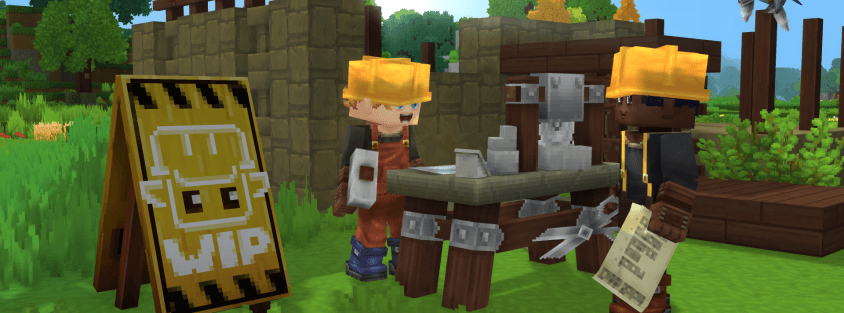
Hypixel Studios has released three major hotfixes throughout January 2026, addressing critical issues reported since Hytale's early access launch. These updates focus heavily on server stability, connectivity improvements, and performance optimizations—particularly important for the multiplayer community.
Here's everything server operators and players need to know about the January 2026 hotfixes.
Hotfix: January 28, 2026
The latest hotfix tackles performance, stability, and several gameplay issues affecting the player experience.
Performance Improvements
The January 28 hotfix resolves two significant visual performance issues:
- Shadow display issues fixed: Shadows now render correctly across all graphics settings
- NVIDIA stuttering and input lag reduced: Users with NVIDIA graphics cards experienced noticeable stuttering and delayed input response—this has been substantially improved
If you've been experiencing choppy gameplay on NVIDIA hardware, this update should provide immediate relief.
Stability Fixes
Several crash scenarios have been eliminated:
- Fixed crashes related to weather systems
- Fixed crashes when equipping armor
- Fixed crashes when disconnecting from servers
- Improved login reliability
- Server stability improvements across the board
For server operators, these stability improvements should reduce unexpected disconnections and improve overall uptime.
Gameplay Bug Fixes
Critical gameplay issues resolved:
- Compass now points to correct locations—no more getting lost with broken navigation
- Block placing in creative mode improved—more consistent placement behavior
- Teleporter logic fixed—prevents infinite teleporting loops that could trap players
- Crossbow misfires fixed—crossbows now fire reliably
- General interaction improvements
Hotfix: January 15, 2026
The mid-January hotfix focused on connectivity and core stability issues.
Connectivity Improvements
Major improvements to how the game handles authentication and network issues:
- General server stability and network improvements
- Offline mode fallback: The game now automatically switches to offline mode if authentication fails, instead of getting stuck on loading screens
- Fixed "invalid token" errors: Players with slightly out-of-sync system clocks no longer encounter authentication failures
This last fix is particularly important for server operators—players previously couldn't join servers if their system time was even slightly off. This caused significant support burden, and the automatic handling is a welcome change.
Stability and Performance
- Client performance optimized through improved background task scheduling
- Fixed items getting stuck inside blocks when dropped
- Server crash fix for certain undefined scenarios
Hotfix: January 13, 2026 (Launch Day Fix)
The first major hotfix arrived shortly after early access launch, addressing the most critical issues reported by the community.
Connectivity and Authentication
- Message added after server boot if authentication is required—clearer server status communication
- Client automatically switches to offline mode when session becomes invalid
- Launcher warning added to inform players if their computer time is out of date (fixes authentication issues)
- Fixed sporadic authentication issues during login
Critical Crash Fixes
Several game-breaking crashes were eliminated:
- Fixed crash when selecting certain hairstyles followed by eyebrows in character creation
- Fixed crash when taking screenshots for users with non-English folder names
- Fixed issue preventing Norwegian players from launching the game
- Fixed crash when using buckets (note: some workbenches broke and need to be destroyed and replaced)
- Prevented left mouse button binding to certain incompatible actions
Services and Security
- Patched username spoofing vulnerability (purely visual exploit)
- Improved caching of game patches globally—faster download speeds worldwide
- Improved email service to handle larger volumes—better for verification and password recovery
What This Means for Server Operators
These hotfixes bring substantial improvements for running Hytale servers:
Server Stability: The multiple stability improvements across all three hotfixes mean fewer unexpected crashes and better uptime for your server.
Authentication Handling: The automatic offline mode fallback and time-sync tolerance reduce player support tickets. Players who previously couldn't connect due to authentication issues can now join.
Performance: NVIDIA performance improvements and background task optimizations mean players will have smoother gameplay experiences on your server.
Bucket Workbench Issue: If players report broken workbenches, they'll need to destroy and replace them. This is a one-time fix related to the bucket crash resolution.
Reduced Disconnect Crashes: The armor equipping and disconnect crash fixes should substantially reduce "player kicked by internal exception" scenarios.
What This Means for Players
Smoother Gameplay: NVIDIA users in particular will notice significantly reduced stuttering and input lag.
Reliable Connections: Authentication improvements mean less time stuck on loading screens or being kicked from servers.
Navigation Fixed: The compass fix ensures you can actually find your way back to bases and marked locations.
No More Infinite Teleport Loops: Teleporters work correctly now, preventing frustrating softlock scenarios.
Better Crossbow Combat: Crossbows fire when expected, making ranged combat more viable.
Creative Mode Improvements: Block placing in creative mode is more consistent and predictable.
Update Cadence and Future Patches
Hypixel Studios noted in the January 13 hotfix announcement:
"This hotfix addresses the most critical issues reported since launch. Additional fixes for less urgent issues are in progress and will be included in upcoming patches."
The team is clearly prioritizing server stability and gameplay-critical bugs in the immediate post-launch window. Expect continued hotfixes as the community reports additional issues.
How to Update
For Players: The Hytale launcher will automatically download and apply these hotfixes when you start the game. No manual action required.
For Server Operators: If you're using the new UpdateModule introduced in Update 2, you can configure automatic updates or manually control when patches apply. See our server setup guide for details on configuring auto-updates.
For operators managing updates manually:
- Stop your server gracefully
- Download the latest server files from your Hytale installation or via the Hytale Downloader CLI
- Replace server files (preserving your
universe/,config.json, andpermissions.json) - Restart the server
Known Issues Still Being Addressed
While these hotfixes resolve critical problems, some issues remain under investigation. Common reports include:
- Occasional desync issues during high player counts
- Minor visual glitches with certain cosmetics
- Edge case crashes that haven't been fully isolated yet
If you encounter persistent issues on your server or as a player, report them through the official Hytale support channels or community Discord.
These January hotfixes demonstrate Hypixel Studios' commitment to rapid response post-launch. The focus on server stability and connectivity is particularly encouraging for the multiplayer community—stable servers are the foundation of a healthy player ecosystem.
For the official announcements, visit Hytale.com.
Looking for a stable server to play on? Browse our server listings to find communities running the latest updates with solid uptime.